
Wialon API: integrating GPS monitoring with your own systems
Through the Wialon API your ERP, CRM, control room or mobile app receives coordinates, mileage, fuel and events without manual exports. We issue the access, help your developers get started, and take the integration on as a turnkey job if you have no team of your own.
- 09:12 POST /hooks/geofence · entry to Sumgait warehouse · 200 OK
- 09:14 Order no. 4812 → status Arrived for loading
- 10:37 POST /hooks/stop · 3 min stop at the customer · 200 OK
- 11:02 POST /hooks/sos · SOS, van 10-XX-123 · 200 OK
- 11:03 CRM: alarm passed to the shift supervisor
From the data on board to the dispatcher's decision
Tracker
Coordinates, sensors and events go to the Wialon server exactly as in ordinary monitoring.
Wialon
Stores the messages, builds the reports and, on your rules, sends HTTP requests to your address.
Token and requests
Your system pulls objects, tracks and reports using a token with limited rights.
ERP, CRM, website
Order statuses, mileage in 1C, a map on the website — with no manual exports or copying.
Features and tools
Access
- Remote API: objects, messages, reports
- Access tokens and rights for integrations
- Webhooks: an HTTP request on an event
- Retranslation of data to third-party systems
Interfaces
- SDK for web and mobile applications
- A map with your vehicles on your own website
One order that went through the API
An illustrative example: a distributor, a CRM and a warehouse in Sumgait. Nobody moves data by hand.
- The vehicle entered the warehouse geofence webhook
Wialon sends an HTTP request to the CRM and the order is automatically set to loading.
- Left the warehouse, a link goes out to the customer tracking
The CRM generates a map link showing the vehicle, and the customer can see where his order is without ringing the account manager.
- Only 3 minutes stopped at the customer check
The unload was too short — the manager sees a flag in the CRM and rings the customer back.
- The day's mileage exported into 1C by API
A scheduled script pulls the mileage and fuel report, and the accounts department writes off fuel and lubricants against actual figures.

When the Wialon interface is no longer enough
For the first few months after monitoring goes live, most companies find the web interface and the reports sufficient. Then questions of a different kind appear. The accounts department wants to see mileage in 1C next to the waybill. The sales team wants to know where the vehicle carrying a customer's order is, right there in the CRM record. The logistics team wants new runs from their system to reach the monitoring platform by themselves.
You can copy figures from one spreadsheet into another, but it is daily manual work and a source of errors. The right way is to let the systems talk to each other directly. Wialon has an open API for that, and we have experience of connecting it to the accounting systems used by companies in Azerbaijan.
If what you need is a link to one particular program rather than the API in general, have a look at the page on integration with ERP and CRM as well. This page is about the tools themselves and how the connection is put together.
Four ways of getting data out of the monitoring system
HTTP requests to the platform
The main tool. Your program sends an HTTP request and gets an answer in JSON. Almost everything a user sees in the interface is available through the API:
- the list of objects, their latest coordinates, speed and sensor states
- message history for a period — the raw track points
- running reports from templates and receiving the results as tables
- geofences, drivers, trailers, notifications
- creating and changing objects, sending commands to the tracker
It suits the case where your system decides for itself when to ask for the data: every 5 minutes, once a day, or at the press of a user's button.


How we connect the API
Five steps from the first email to a working integration. For routine jobs we manage it in a week or two; complex projects we discuss separately.
The order of work
1. We work through the task
What data, into which system, how often and who is going to look at it. It often turns out that what is needed is not an API but a ready-made report emailed on a schedule. In that case we will say so.
2. We create a technical user
A separate account for the integration with rights to the required objects only. If the integration breaks or the key leaks, your dispatchers' access is unaffected.
3. We issue a token
The integration authorises with a token rather than a password. A token can be limited by expiry date and by rights and revoked at any moment without changing anybody's password.
4. We help the developers
We supply example requests for your particular task and show where the sensors you need sit and what the parameters of specific trackers are called. That saves programmers days of reading documentation.
5. We check it against real data
We compare the figures in your system with Wialon reports on one or two vehicles over a week. Only then do we switch the integration on for the whole fleet.
What people usually build on the API
Mileage in 1C
A daily export of mileage and engine hours for each vehicle into the waybills. The accounts department stops copying odometer readings by hand.
Order status in the CRM
The account manager sees in the deal record that the vehicle carrying the load has left the warehouse and will be with the customer in about an hour.
Fuel in the ERP
Refuelling and consumption from the sensors go into fuel and lubricants accounting and are reconciled with the fuel cards. Discrepancies are visible without anyone matching them up by hand.
Timesheets for field staff
Time on site from the geofence reports becomes the basis of the timesheet and of piece-rate pay calculations.
Your own BI
The data is deposited into your database daily and your analysts build dashboards in Power BI or whatever tool they are used to.
A client portal
A major client sees his runs in your own portal rather than in somebody else's interface. A neighbouring job is a public tracking link.

What to think about before development starts
A few things that trip up even experienced teams.
- Request limits. The platform has limits on the frequency and size of requests. Polling 200 vehicles one at a time every second is a poor idea. It is better to subscribe to changes or to take the data in batches.
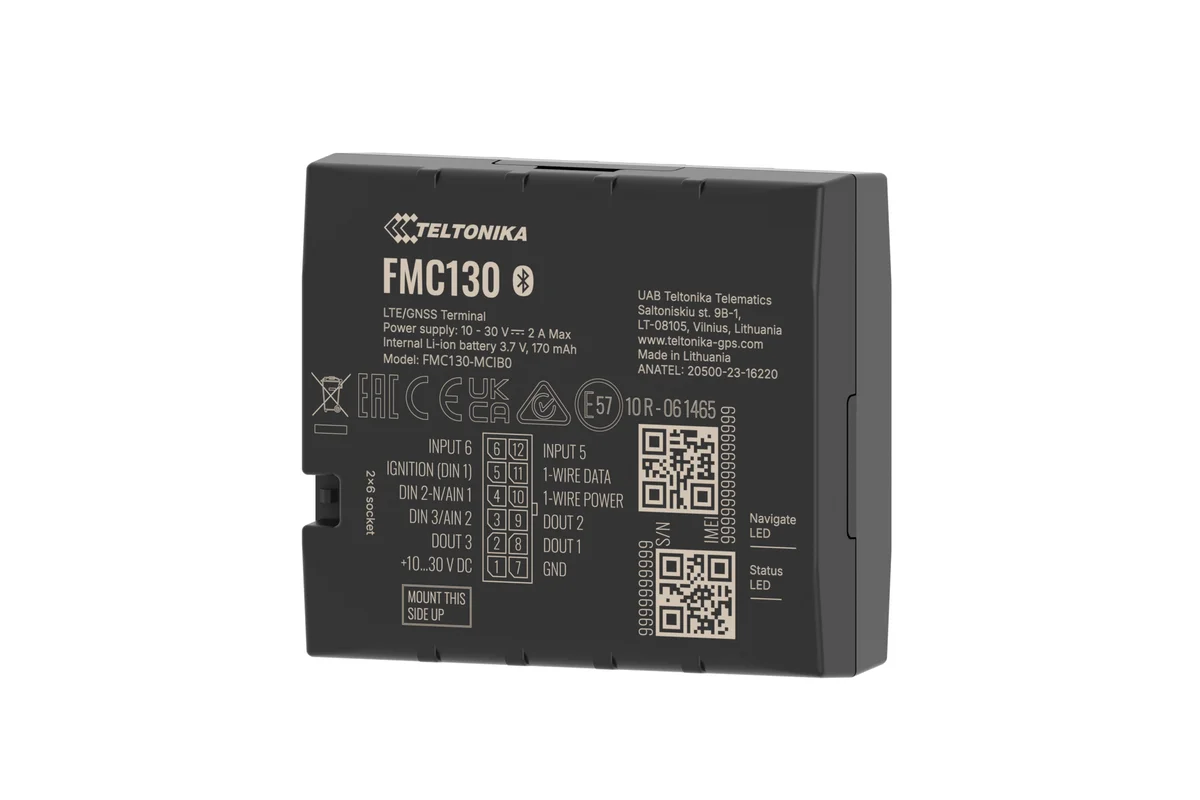
- Sensors are named differently. On a Teltonika FMC130 and on a Queclink the same fuel parameter arrives under different names. So in an integration we work from the sensors configured in Wialon rather than from the raw parameters.
- Time zones. The API returns time in Unix format, that is in UTC. Forget the offset for Baku (UTC+4) and the report in 1C will slip by 4 hours, putting night-time trips between midnight and four in the morning on the previous day.
- Objects being renamed. Tie vehicles to their internal identifier rather than to the registration plate in the name. Plates change, and the link must not break when they do.
If you have no developers of your own, the integration can be ordered from us in its entirety — together with support after go-live under an SLA service agreement.
Documentation, the first request and what to do about errors
Gurtam publishes the Remote API and SDK reference at sdk.wialon.com. The exact address of the server your integration talks to depends on where the account runs — we issue it together with the token so that developers are not left guessing.
Here is what getting started looks like, without tying it to any particular language:
- Logging in with a token. A request to the
token/loginservice with atokenparameter. The response is JSON with a session identifier (eid) and the user's details. That identifier is passed in the requests that follow. - Finding objects. The
core/search_itemsservice with the typeavl_unitreturns the list of vehicles the token has access to, with a set of fields governed by flags: name, last message, sensors. - A report. Running a report template for a period and receiving the rows of the table. This is usually how mileage and fuel are pulled into 1C.
Rights are set when the token is issued: read-only or control, which objects, how long it is valid. For an export into an accounting system, read access is enough. Rights to send commands to a tracker are issued separately and only where they are genuinely needed.
The platform returns errors in JSON in an error field with a numeric code. Here is the practical minimum of handling we ask you to allow for:
- an invalid session — log in with the token again and repeat the request;
- access refused — do not retry, tell the administrator: the token is short of rights or the object has been taken out of the group;
- invalid parameters — write the whole request to the log, this is a bug in the integration's code;
- a timeout or a server error response — retry after a pause rather than immediately in a loop, otherwise the integration will run into the limits.
The specific limits on request frequency and response size depend on how the server is configured. We discuss them at the start, before a developer writes something that polls every five seconds.
Who this makes sense for
Companies with an accounting system
If waybills, orders or fuel and lubricants are already handled in 1C, SAP or your own ERP, the API removes the double entry of data.
Logistics operators
3PL companies and forwarders who report to their clients on every run and would like to do it automatically.
Product developers
Delivery, car-sharing and rental start-ups that need ready-made telematics under the bonnet of an application of their own.
Large fleets
Once there are more than a hundred vehicles, manual exports start to take up a full member of staff.

An example link-up: a distributor, a CRM and a warehouse in Sumgait
Let us show what a typical integration looks like from the inside. A drinks distributor delivers goods from a warehouse in Sumgait to shops around Baku and Absheron. The orders live in a CRM and the vehicles in Wialon, and until now those two worlds never met.
In the morning the CRM pulls the list of vehicles that have gone out on the road through the API and assigns route sheets to them. When a vehicle enters a shop's geofence, Wialon sends a webhook and the order in the CRM is set to delivered, awaiting confirmation. If the vehicle left the point in less than 3 minutes, the manager sees a flag and rings the customer back: the goods may not have been unloaded.
In the evening a separate request pulls the mileage and working time of each vehicle and puts them into the accounting system. Nobody moves anything by hand.
The difficulty here is not the code but the agreements: which status counts as delivered, what to do with points that have no coordinates, who is responsible if the CRM is unavailable. We talk those questions through with your team before development starts.
What goes on the vehicle
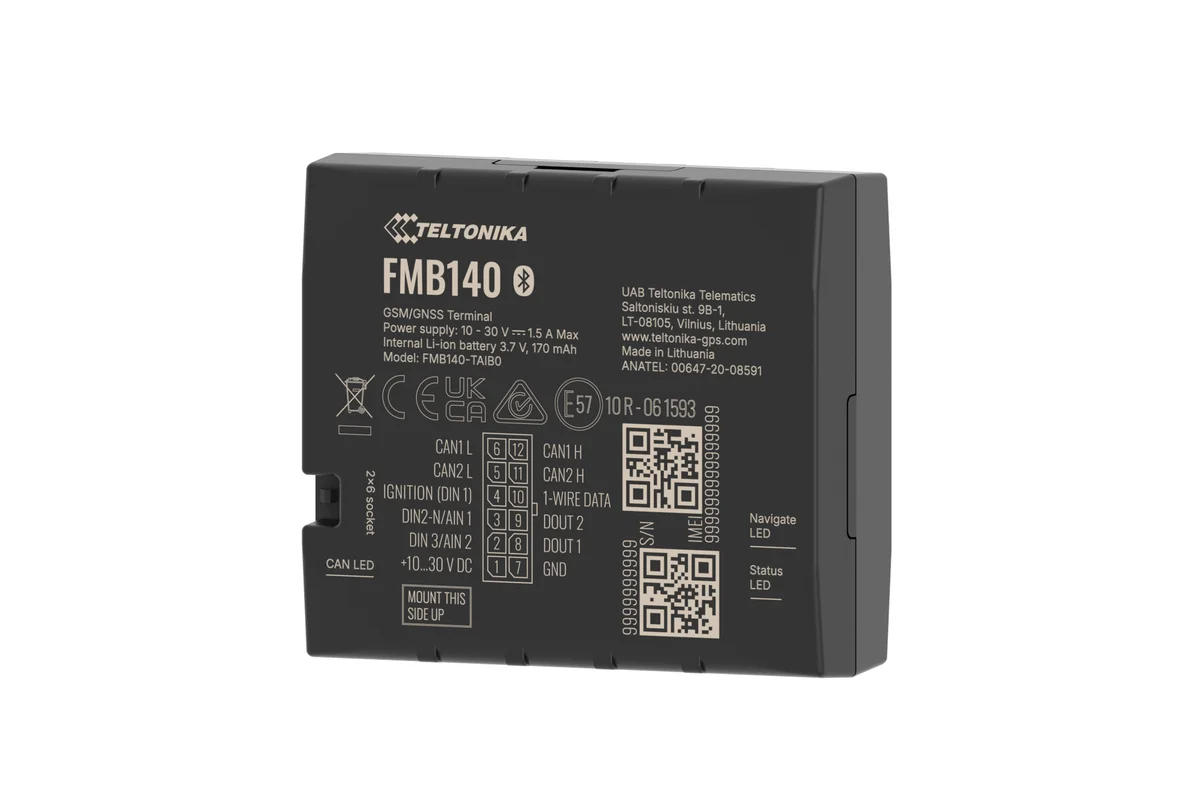
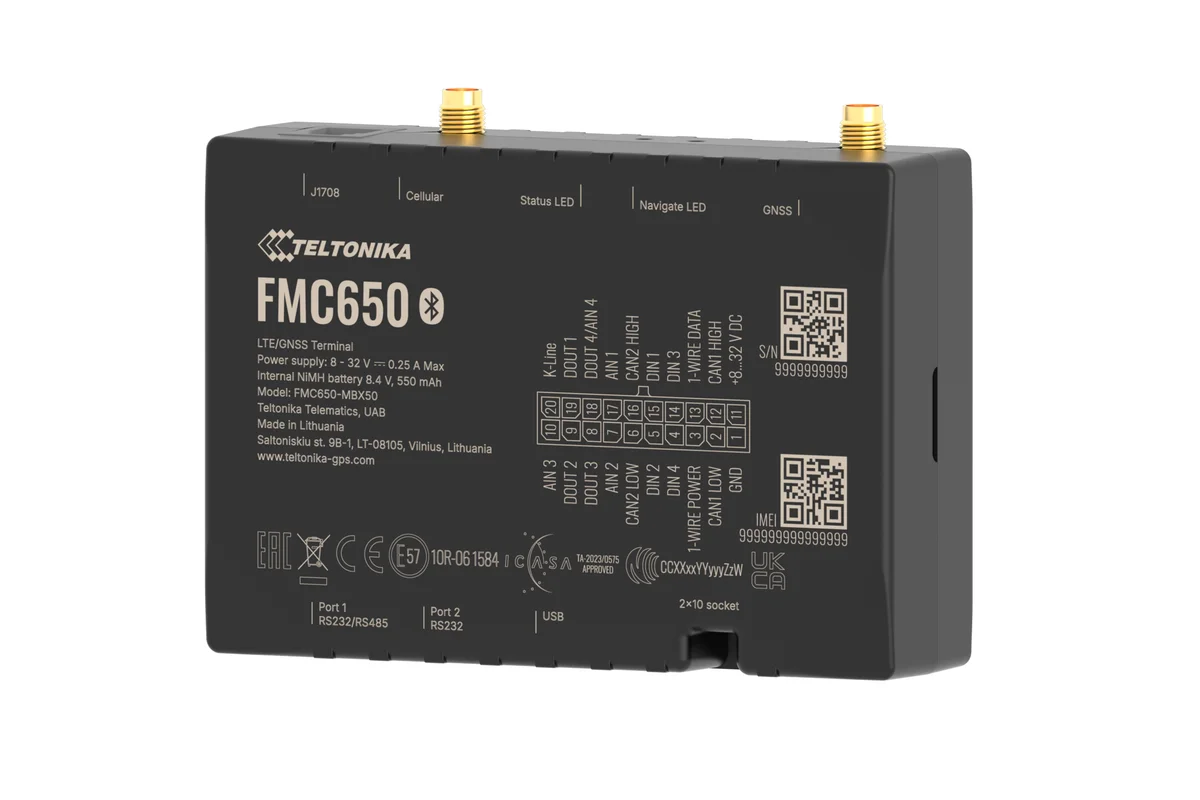
Remote API, webhooks or retranslation
Three ways of getting the data out. The choice depends on who starts the exchange and what you need at the end of it.
| Remote API | Webhooks | Retranslation | |
|---|---|---|---|
| Data when your system asks for it | Yes | No | No |
| Instantly on an event | No, by polling | Yes | Yes, as a stream |
| Ready-made Wialon reports | Yes | No | No, you work them out yourself |
| All the tracker's raw messages | Yes, on request | No | Yes |
Fitting and cost
The feature becomes available once you are connected to the GPS.az platform. The cost is made up of the hardware, the fitting and a monthly subscription, which includes the SIM card traffic — the total depends on the type of vehicle and the set of sensors. We prepare an exact quote for your fleet free of charge within one working day.
- 1 Your enquiry and the list of vehicles
- 2 The quote and an agreed fitting schedule
- 3 Fitting the hardware at your own site
- 4 Setting up reports and alerts in Wialon, and training the dispatcher
Questions about “Wialon API: integrating GPS monitoring with your own systems”
Request a call
A specialist will call back and match a solution to your fleet and your task.