
Green Driving: keeping harsh driving in check
The Green Driving function in Teltonika trackers, in the FMC920 for instance, records harsh acceleration, braking and cornering and signals the driver at once with a buzzer or an LED.
The Green Driving function in Teltonika trackers, in the FMC920 for instance, records harsh acceleration, braking and cornering and signals the driver at once with a buzzer or an LED. There are more and more vehicles on the roads: food and online order delivery services are growing, along with car sharing and the carriage of people and goods. For a fleet owner that means more vehicles and more drivers, each with a driving style of his own. And driving style hits the accounts directly. The same van in the hands of a careful driver uses less fuel, goes longer on a set of brake pads and has fewer accidents. The money not spent on extra fuel and repairs stays in the company.
What this scenario solves
Harsh acceleration and braking increase fuel consumption and wear the vehicle out faster.
Aggressive driving is dangerous for the driver, the passengers and everyone else on the road.
Drivers themselves often do not notice that they are driving harshly until it is pointed out.
The fleet manager sees only the outcome — the fuel and repair bills — but not the cause.
Harsh acceleration and braking increase fuel consumption and wear the vehicle out faster. Aggressive driving is dangerous for the driver, the passengers and everyone else on the road. Drivers themselves often do not notice that they are driving harshly until it is pointed out. The fleet manager sees only the outcome — the fuel and repair bills — but not the cause.
Every driver has his own style, and few stop to think what it costs the company. A sharp start at the lights, braking at the last moment, taking a bend faster than it deserves — each of those on its own is a trifle. Over a month across a fleet of twenty vehicles it turns into real money: fuel, tyres, dampers, brakes.
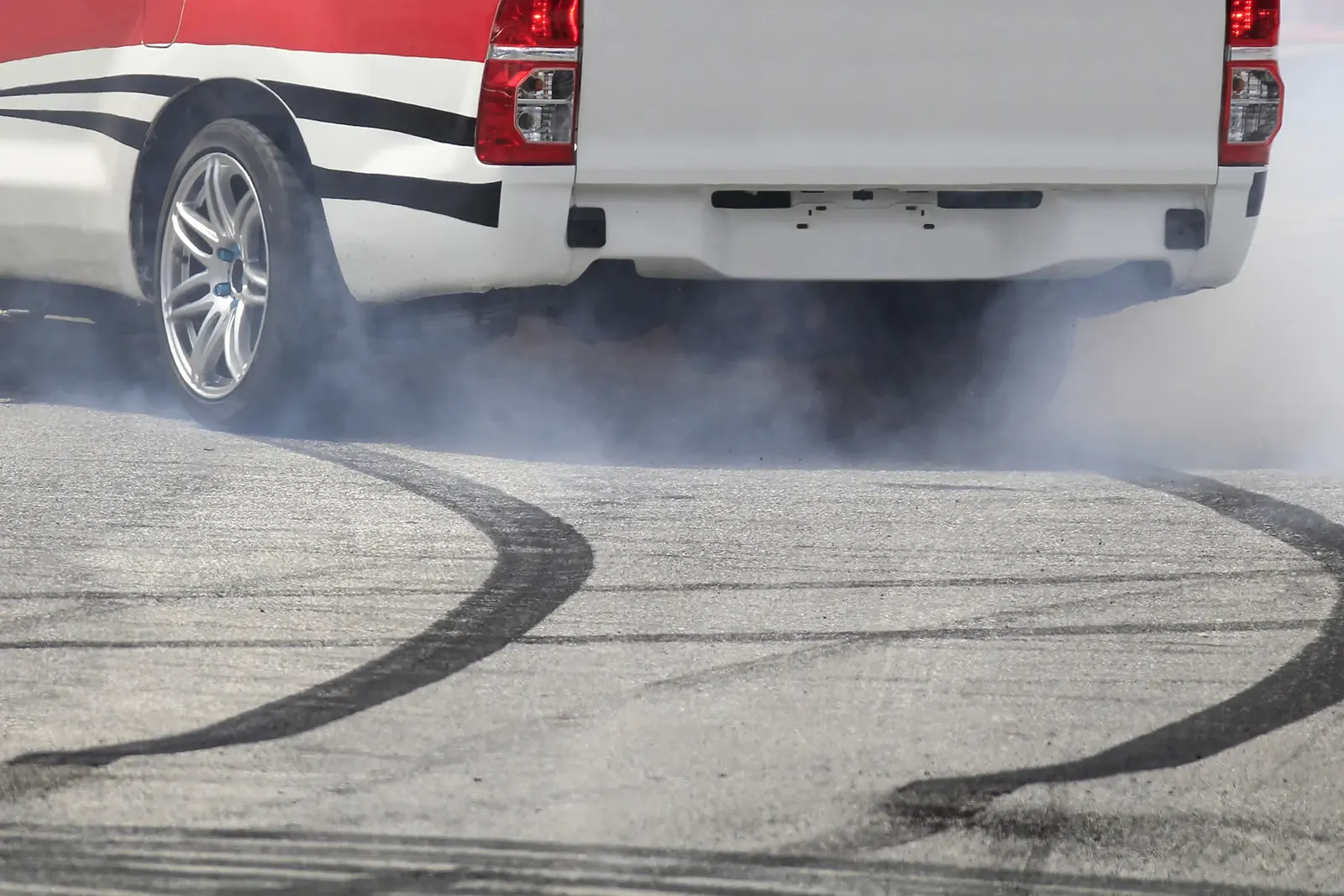
There are other consequences too. Uneconomical driving produces more exhaust, and cities are trying to make their air cleaner. The load in the body suffers from sharp manoeuvres: boxes fall over, glass breaks, packaging is crushed. And above all, the risk of an accident rises.
The question is how to make driving style visible — both to the driver at the moment of the offence and to the manager in a report.
What Teltonika offers
The tracker watches acceleration, braking and cornering, compares them with thresholds and, if the driver goes beyond them, switches on a buzzer or an LED in the cabin immediately, while the event goes to the server for reporting.
Installation and setup
Fitting the device and configuring it for the fleet scenario at hand.
Data transfer
The device collects data and sends it to the monitoring platform; how often depends on the model and its settings.
Analysis and control
The person in charge gets reports and alerts and looks into what stands out.
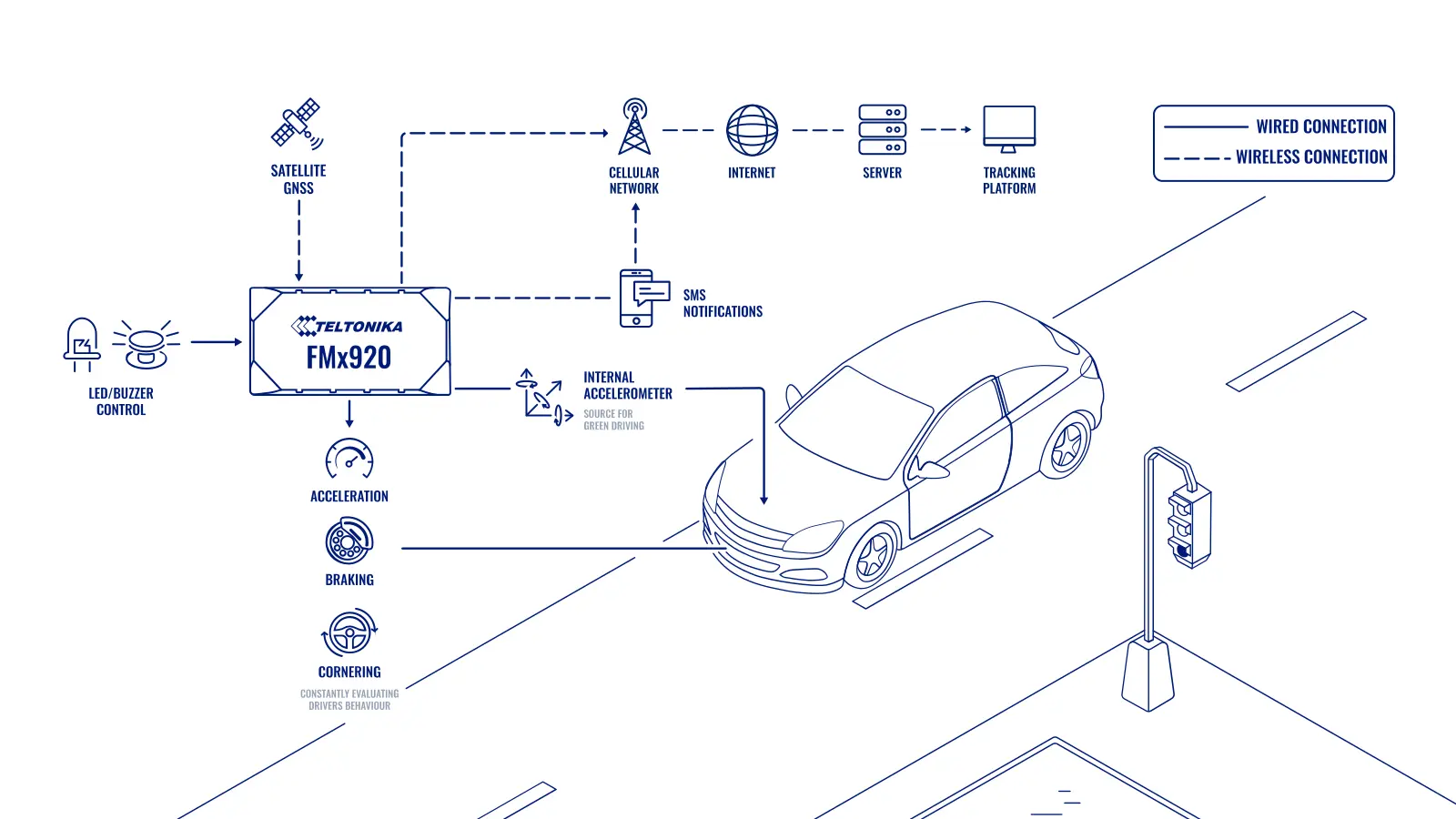
Which trackers support it. Green Driving is in every Teltonika GPS tracker; the only difference is which job each one tends to be chosen for. Insurance companies usually build their programmes on the FMx880 series. In car sharing the FMx130 series is popular, because it has more inputs and outputs for controlling the vehicle. For anyone just starting out with telematics, Teltonika recommends the FMx920 series, and in this example the FMC920 with LTE connectivity.
How it works. The tracker continuously measures the vehicle's acceleration under power, under braking and in bends. If a value goes beyond the threshold set, the tracker records an event and switches on the connected buzzer or LED through the DOUT digital output. The driver hears the signal at the same moment as he brakes hard, and the link between the action and its consequence is obvious. The event, with position and time, goes to the server, where per-driver reports are assembled.
How to choose the thresholds. Thresholds used to be set by trial and error: too soft and the buzzer sounds at every set of lights and the driver comes to hate it, too hard and it catches nothing. In FMB BASE firmware from version 03.29 onwards, the configurator has a calculator that works out recommended thresholds for the type of vehicle. A car, a van and a lorry brake differently, and the calculator takes that into account. It saves the integrator time and makes the configuration predictable.
Two data sources. In the configurator you choose where the data comes from: GPS or the accelerometer. GPS works straight away and needs no extra setup. The accelerometer is more accurate and works where GPS cannot receive — in tunnels and underground car parks. But it needs auto-calibration: the tracker works out for itself how it is mounted in the vehicle, which happens automatically but takes some time after fitting.
How to motivate drivers. Green Driving reports allow drivers to be compared and ranked by the number of events per 100 km. Many companies tie bonuses to that: whoever has fewer harsh manoeuvres gets the bonus. It works better than fines, and drivers start watching their own style.
What the first month looks like. In the first week the buzzer sounds often and drivers are unhappy. By the second or third week the number of events falls noticeably: people get used to accelerating and braking more smoothly because the signal is irritating. The manager sees in the report who has adjusted and who needs a separate conversation.
The minimum configuration and the limits of the scenario. What is needed is a Teltonika tracker with the Green Driving function (the FMC920 in this example), a buzzer or LED on a digital output, thresholds to suit the type of vehicle, and a per-driver report in the monitoring platform. Driver identification (a key or a card) is needed if different people drive the same vehicle, otherwise events are tied to the vehicle rather than the person. Speeding and idling are configured through separate tracker functions: they are usually switched on together, but they are different events with different thresholds.
What the report looks like. A table of drivers over a period: mileage, the number of harsh accelerations, brakings and corners, the number of events per 100 km and the position in the ranking. Clicking an event shows the point on the map and the time, so a disputed case can be gone through with the driver at a specific place rather than in the abstract.
What to bear in mind. The cabin signal only works if a buzzer or LED is wired to the tracker's output, which is worth allowing for during fitting. Thresholds for lorries and for cars have to differ, or the assessment will be unfair. On broken roads and in the mountains some events may be caused by the road rather than the driver, so reports are better compared between drivers on the same route.
What you get
Lower fuel and repair costs
Smooth driving saves fuel, tyres, brakes and dampers.
Vehicles last longer
Without aggressive driving the engine, transmission and suspension wear more slowly.
Safer on the road
The driver gets a signal at the moment of a harsh manoeuvre and gradually loses the dangerous habits.
Less exhaust
Gentler acceleration reduces the load on the engine, and with it consumption and emissions.
Less damage to the load
Without harsh braking and cornering, boxes do not fall over or break.
Simple threshold setup
The calculator in the configurator suggests recommended values for the particular type of vehicle.
Why this solution
Green Driving is built into the firmware of every Teltonika tracker, so there is nothing extra to buy: it is enough to set the thresholds and wire up a buzzer. For anyone just starting out, the FMC920 is a simple, compact LTE tracker that is easy to fit in a car or a van.
The choice of data source — GPS or the accelerometer — lets the function be matched to conditions: in a city with tunnels and underground car parks the accelerometer is better, while in simple scenarios GPS is enough.
The threshold calculator in the configurator and remote configuration over FOTA WEB make it quick to change the values across a whole fleet if the company decides to tighten or relax its requirements.
How this works in Azerbaijan. Keeping harsh driving in check is in demand with delivery services and taxi firms in Baku, where dense traffic provokes sharp starts and braking, with car sharing operators, with distributors delivering goods around the regions, and with passenger carriers on intercity routes. On mountain roads — along the M-4 through Shamakhi, and towards Guba, Gusar and Sheki — thresholds for cornering and braking matter, but it is worth bearing in mind that hairpin bends generate more events by themselves. In summer heat approaching +40 °C, aggressive driving overheats the engine and brakes especially quickly. The buzzer or LED is best positioned so that the driver is certain to hear it but cannot easily disconnect it. GPS.az fits Teltonika trackers with a buzzer, sets the Green Driving thresholds to suit your type of vehicle and produces driver rankings and harsh manoeuvre reports in the Wialon platform.
Related case studies
Related rollouts and equipment
Questions about the “Green Driving: keeping harsh driving in check” scenario
Request a call
A specialist will call back and match a solution to your fleet and your task.